PRODUCTION TRACKING
Know if your crews are on budget before the job is over.
Crews log quantities and hours from their phones. PMs see which items are ahead or behind the estimate while there's still time to act.
If the crew can't see the score, they can't play to win.
A super who can't see the payoff from his effort eventually quits trying. Put the numbers in front of the whole team every day and they start running the job with you.
Crews that know the target find the next task
Crews that don't, wait to be told. That difference is your margin.
Watch the trend, not one bad week
Weather and other trades will hurt some days. If the line keeps moving the right way, you're winning.
Standby time is money
Waiting on trades, inspections, equipment or material. Track it and it shrinks.
Give crews the numbers and they'll run with them
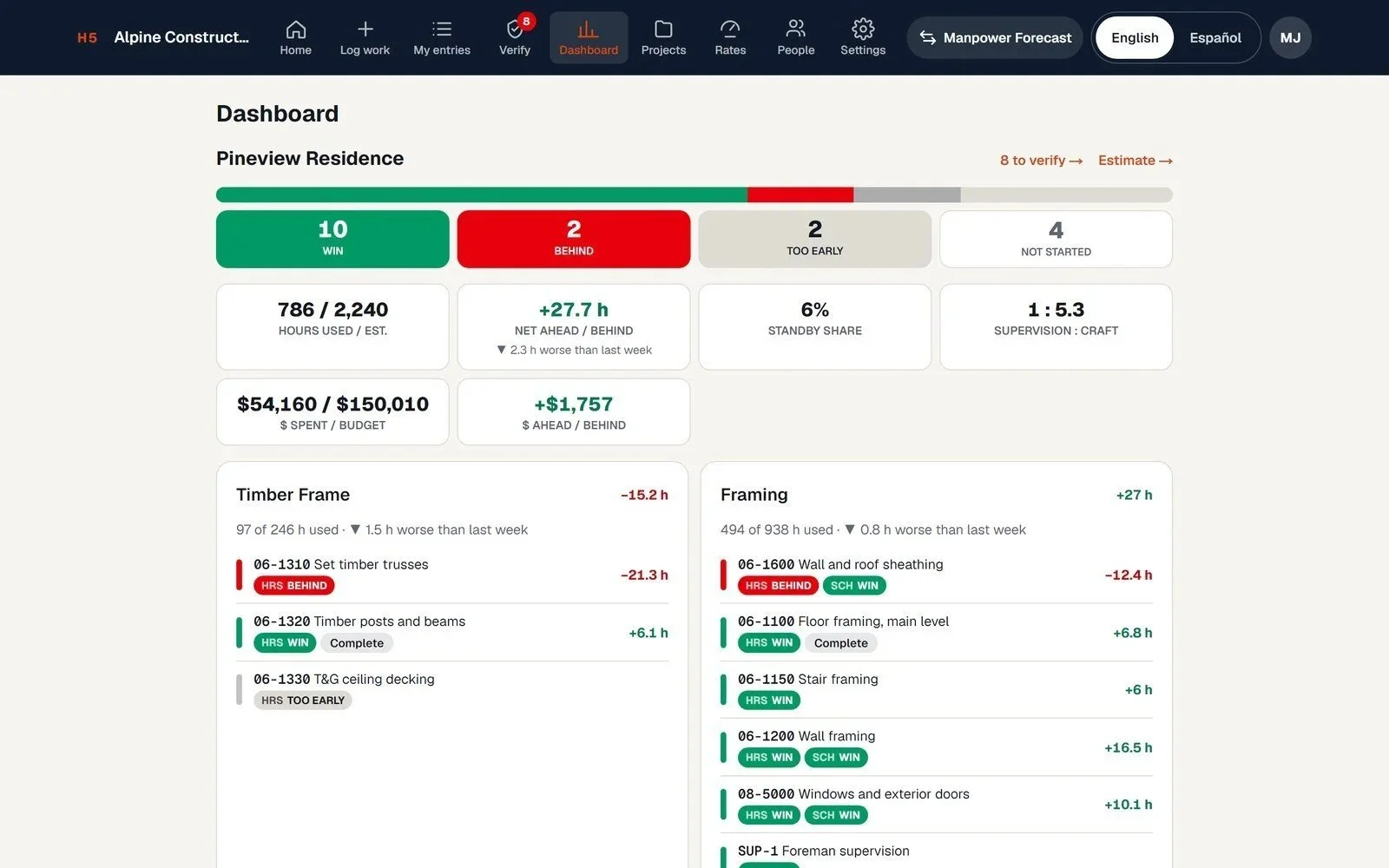
Crews rarely get the data they need to win. Hand it to them and they lead the work, so supervisors spend less time chasing and more time planning. The dashboard tracks your supervision-to-craft ratio.
Jobs that make money don't end in fights
Productive jobs end with fewer disputes and claims. When you're making money on the base work, change orders get negotiated instead of litigated. I've spent enough years on the other kind of job to know.
Based on Dr. Jim Adrian's "Measuring Productivity Benefits," from his Construction Productivity Newsletter. Want help putting these ideas to work in your company? Book a call.
A scoreboard the crew keeps themselves.
Load the estimate
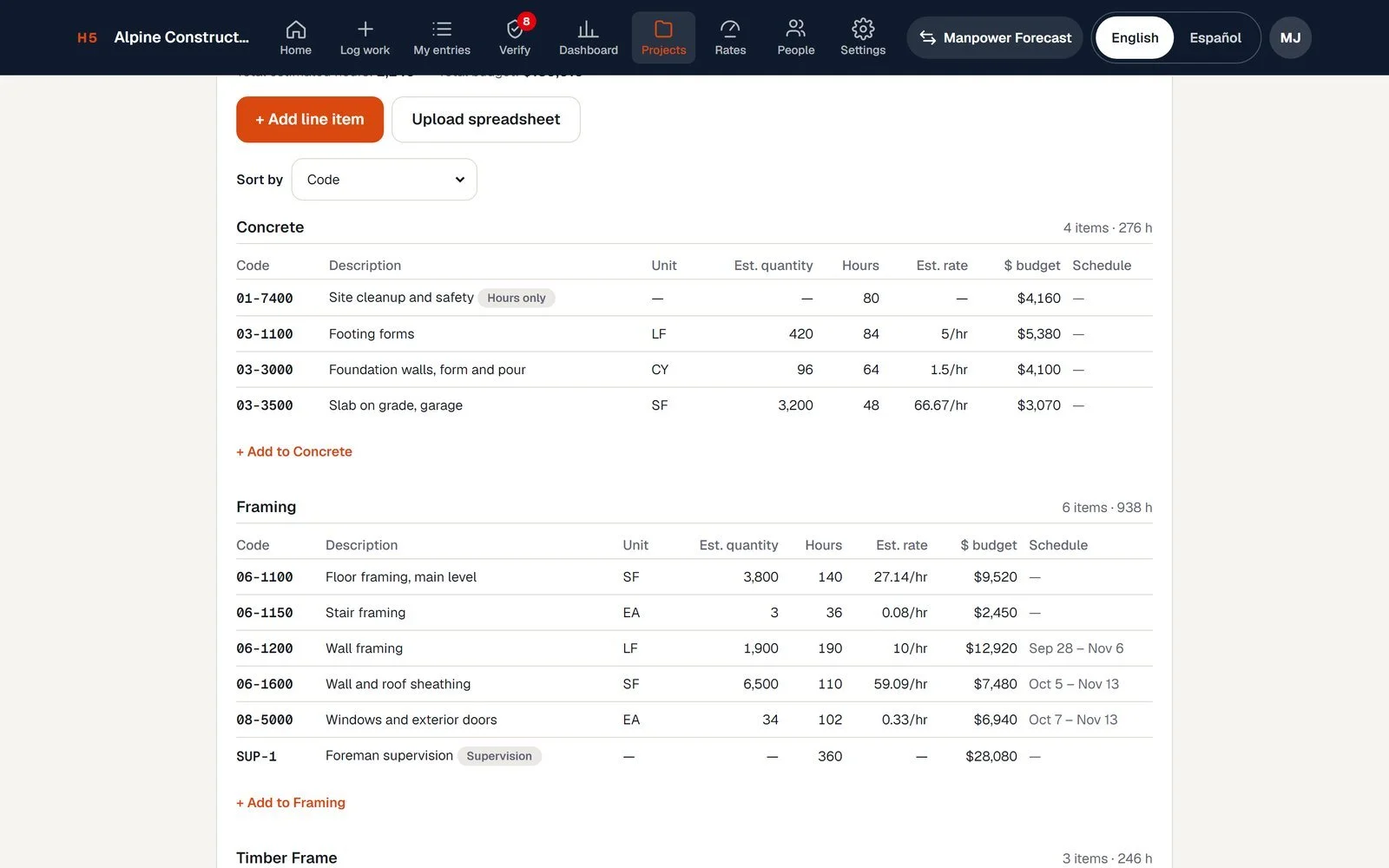
Your estimator enters or uploads the line items: description, quantity, unit and budgeted hours. Excel or CSV, with a ready-made template in English or Spanish. Tag each item by trade so crews only see their own work.
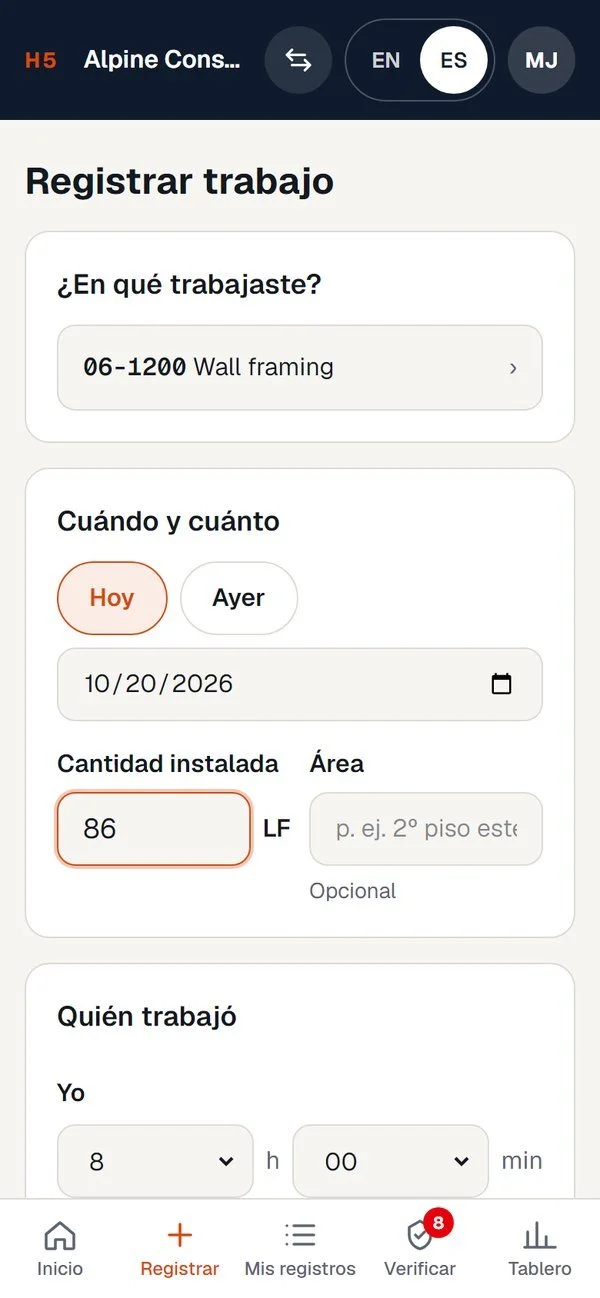
Crews log what got done
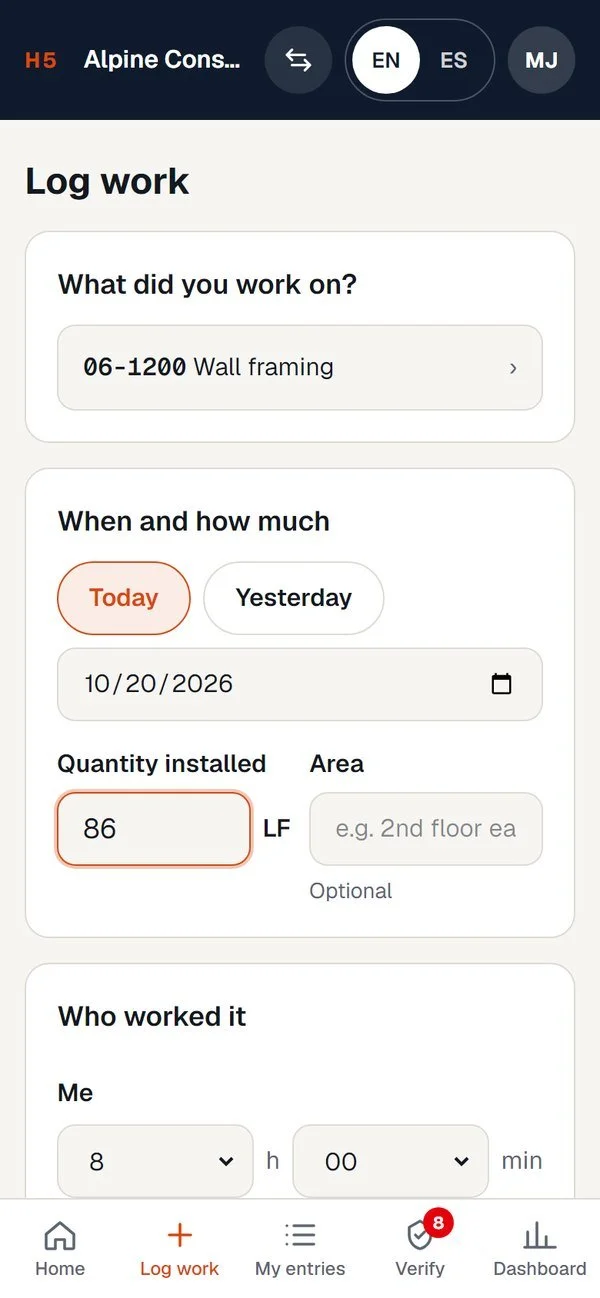
At the end of the day, someone on the crew enters quantity installed and hours spent, from their phone, in English or Spanish. Add a photo and a quick note on weather, interruptions or other trades in the way.
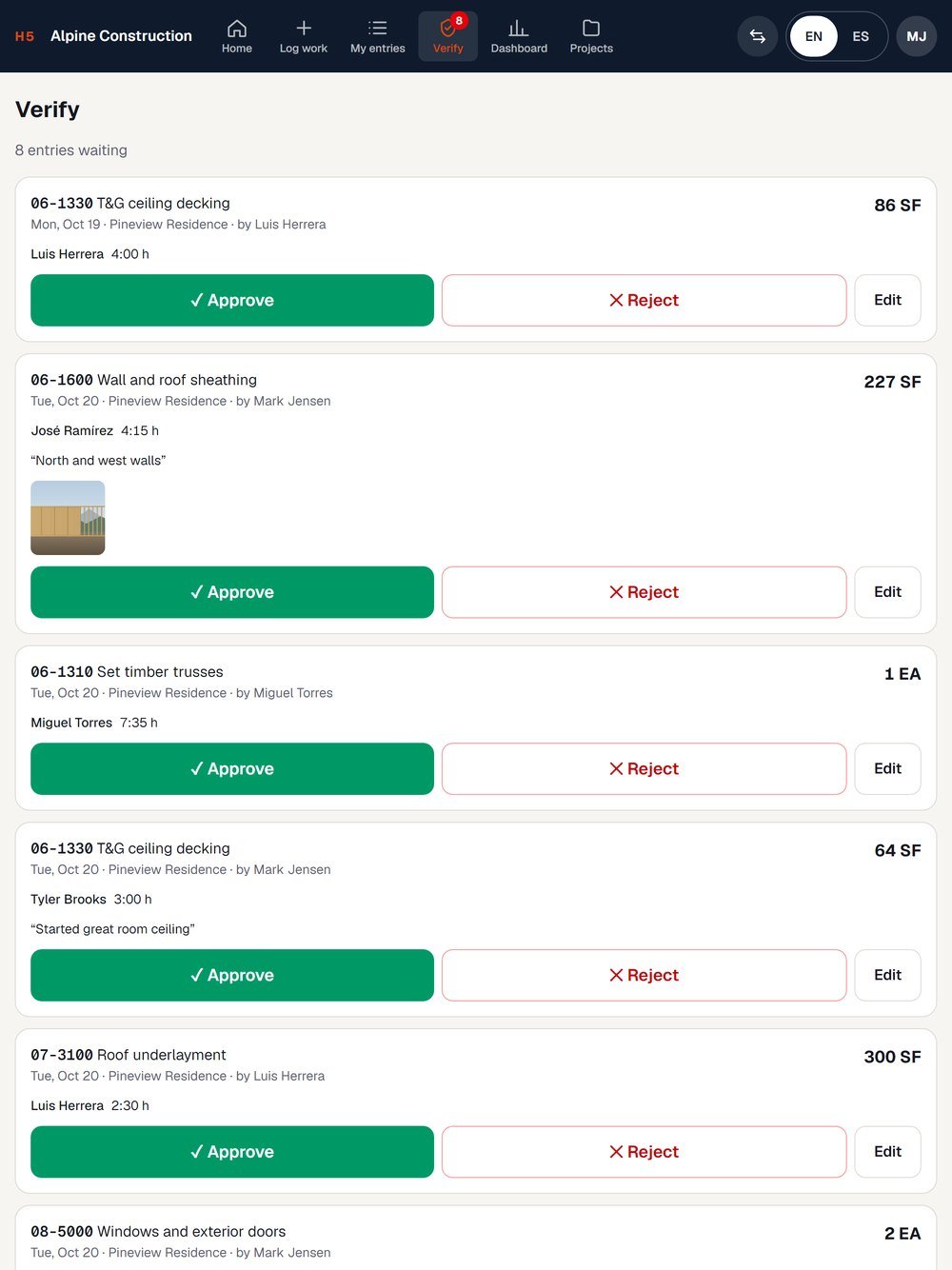
The foreman verifies. Everyone sees the score.
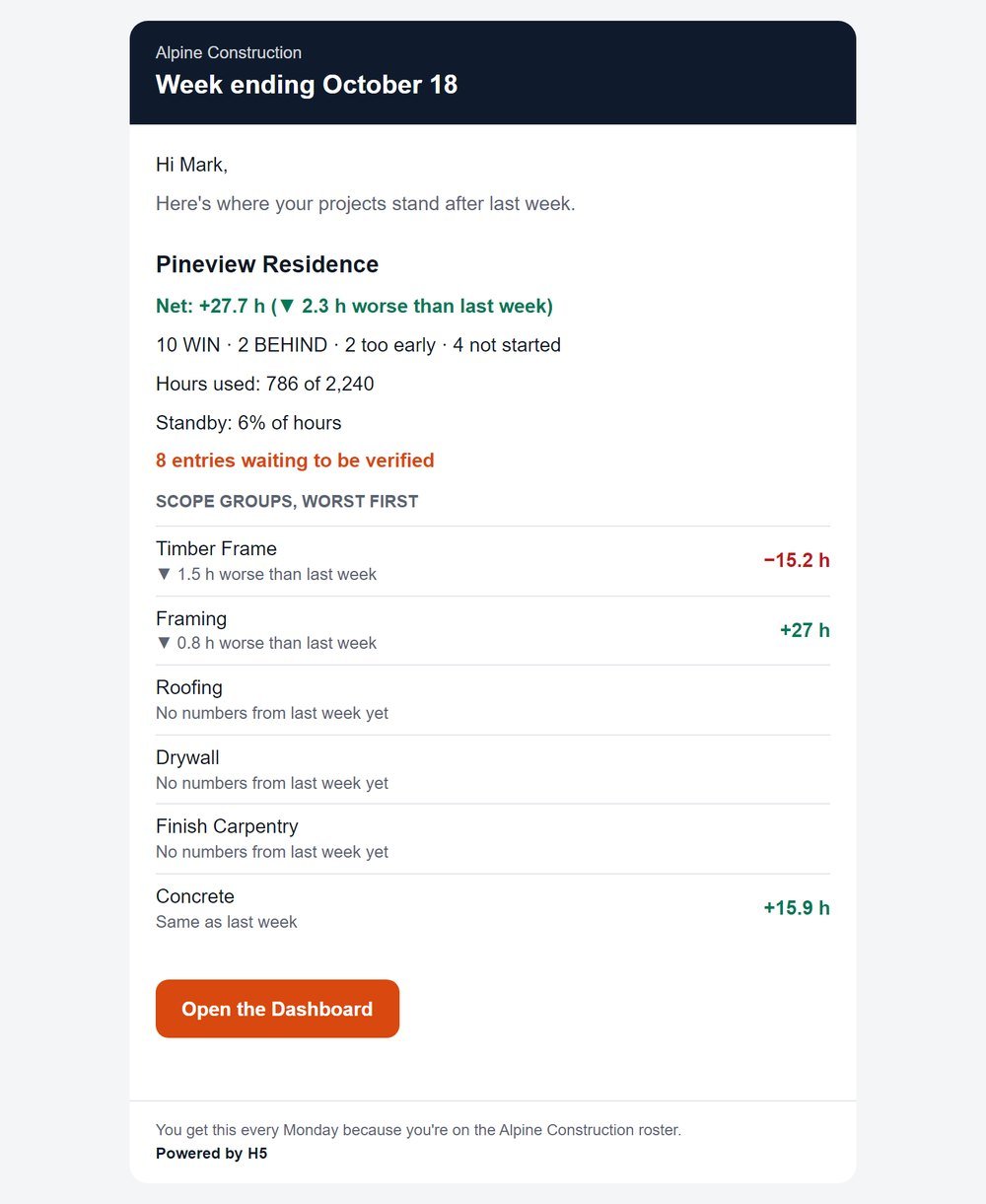
The foreman or super approves entries from an iPad or desktop. The dashboard shows hours used, hours left and whether each item is ahead or behind on both hours and schedule, and flags entries that look off. A weekly email keeps the PM and owner in the loop without logging in.
Built for the crew and the office
No app to download
Runs in the phone's browser. Sign in with a code sent by email.
English and Spanish
Each person picks their language. Same data underneath.
Photo check on every entry
A photo backs up the quantity, and a "same as last entry?" prompt catches double counts.
Notes from the field
Weather, interruptions and trade conflicts get logged when they happen, not remembered later.
Roles that fit your team
Crew, foreman, superintendent, estimator and admin. Dollar figures only show to the people who need them.
Bring your subs in
GCs can add subcontractor crews to their account and track them the same way.
A good fit for
Subcontractors in any trade, and general contractors with self-perform crews: framing, concrete, finish carpentry and the like.
Not built for
GCs who sub out all of their work. If you don't have your own crews, Manpower Forecast is probably the better tool.
Built from a spreadsheet that worked on real jobs.
Years ago I built a Google Sheet to track crews against the estimate: line items up front, quantities and hours from the field, a simple ahead or behind at the bottom. It worked. The problem was getting crews to use a spreadsheet. Production Tracking is that sheet, rebuilt for a phone.
Jason Dunlop, H5 Consulting
Pricing
Per company, not per user. Add your whole crew.
Pro
- Unlimited projects
- Production rates across jobs
- Dollar views for estimators and owners
- Export to Excel for your next estimate
- 30-day trial. Card required; we email you 3 days before the first charge
Enterprise
- Multiple divisions or large crews
- Help with setup and rollout
- Custom pricing
Questions
Do my crews need to download an app?
No. It runs in any phone browser. They sign in with a code sent to their email.
Is there a limit on users?
No. Pricing is per company, so add everyone who touches the work.
Can I upload my estimate?
Yes. Excel (.xlsx or .xls) or CSV. There's a ready-made Excel template to download, in English or Spanish, with sample rows.
Who can see dollar amounts?
On Pro, only estimators, admins and owners. Crews see quantities and hours.
What happens if I stop paying for Pro?
Your projects go read-only. Nothing is deleted.
Does it work with Manpower Forecast?
Yes. Manpower Forecast uses the same login and account. Each tool is priced on its own.
Put the budget in front of the crew this week.
Start freeManpower Forecast
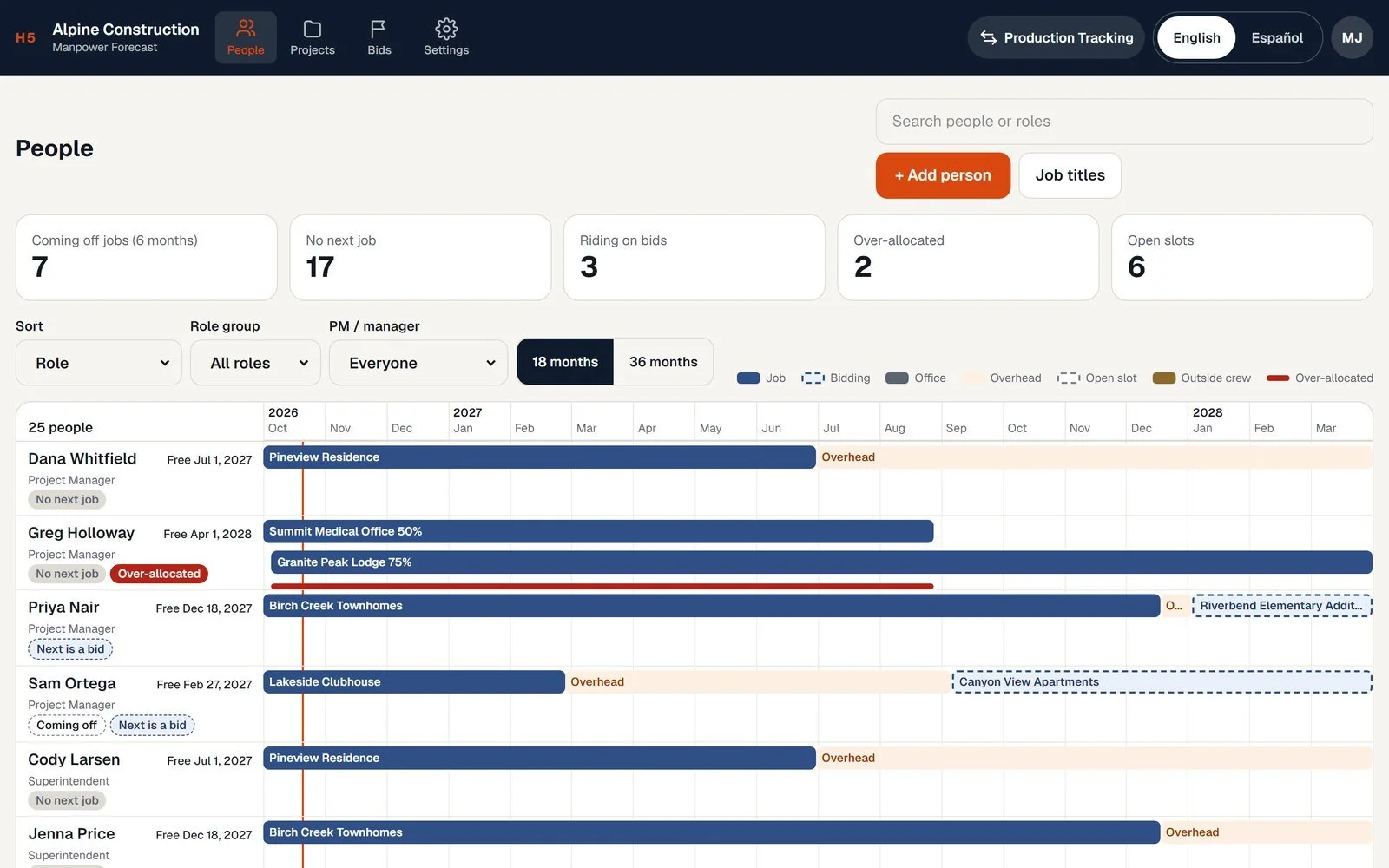
Every person, field and office, by project for the next 18 months, with suggestions for who goes where next. Same login.